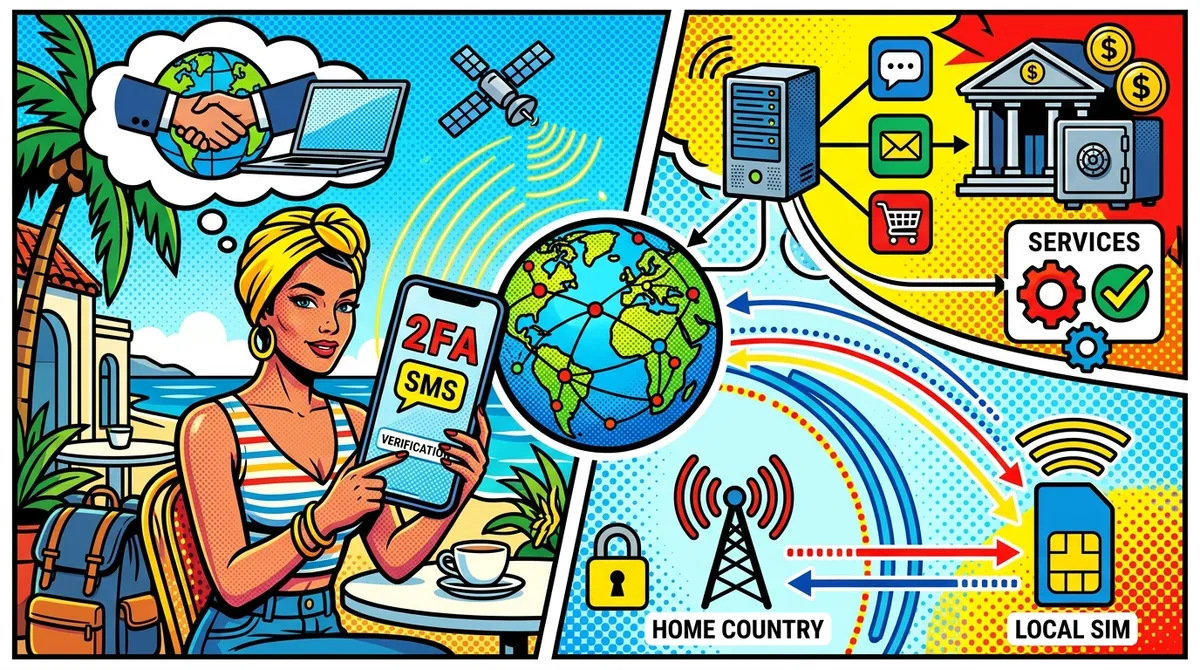
Your bank sends a verification code to your US number. You’re in Thailand. The text never arrives, and now you can’t log in to your own account.
SMS-based two-factor authentication (2FA) assumes your phone is on your home network, and it gets unreliable once you cross a border. This guide covers what actually works: keeping your home line alive for texts, Wi-Fi calling, dual SIM and eSIM, iPhone settings, moving accounts off SMS, and what to do when a code won’t come.
One note up front, since we make a calling app: NomaPhone does not receive SMS or verification codes, and it does not give you a phone number. It only makes outgoing calls. Where it fits is the fallback near the end: calling your bank or carrier when a code won’t arrive.
Why SMS Doesn’t Work Abroad
Problem 1: Roaming SMS Issues
A text to a roaming phone has to pass from your home carrier to a foreign partner network. Codes can:
- Arrive late, after they’ve expired
- Never arrive, especially from short codes (the 5- and 6-digit senders many US companies use)
- Go nowhere because the line is off, or roaming is disabled and Wi-Fi calling isn’t set up
On many plans, receiving texts abroad is free or cheap; on others, using the line triggers a daily international pass. Check your carrier’s current rules.
Problem 2: VoIP Number Rejection
Many banks, brokerages, payment apps and government sites look up the carrier behind your number. If it comes back as VoIP (Google Voice, most app-based numbers, and often numbers moved to a parking service), they may refuse to send codes to it.
Problem 3: Carrier Suspension
Cancel your plan or let a prepaid line lapse, and the number goes back to the carrier and is eventually reassigned. Every account that used it for 2FA loses its second factor.
Problem 4: International Number Rejection
Some US services only accept US numbers. You have a Thai SIM, but your bank’s form won’t take a +66 number.
What Services Use SMS 2FA
- Usually SMS (or start there): many US banks and credit unions (a common default, not a legal requirement), brokerages, card issuers, payment apps, some government portals
- Often SMS, with alternatives: social media, email, shopping, ride-sharing and delivery apps
- Rarely SMS alone: Google, Apple, Microsoft, GitHub and most tech services, which support authenticator apps, passkeys and security keys
Key insight: Financial services are the hard case. They’re the most likely to insist on SMS and to reject VoIP numbers, so plan around them first.
Solution 1: Keep US Carrier Number (Expensive)
Keep your current plan and keep the line switched on abroad. It’s a real mobile number, so every service accepts it, and texts arrive over roaming or, on the major US carriers, over Wi-Fi calling.
The problems: you pay a full monthly plan mostly to receive texts, day passes add up if you use data or calls, and carriers’ terms generally let them limit roaming if most of your usage is abroad for long stretches.
Keep costs down: turn off data roaming on the US line, use a local SIM or travel eSIM for data, and receive texts over Wi-Fi calling.
Best for: trips of a few weeks to a few months.
Solution 2: Google Voice (Free, Partially Works)
Google Voice gives you a free US number that works over the internet anywhere. Know the caveats:
- Sign-up is US-only. You need an existing US number and generally need to be in the US. You can’t set it up after you’ve left.
- Many banks reject it. Banks and payment services often refuse VoIP numbers for 2FA, and short-code texts frequently don’t reach Google Voice.
- Inactivity reclaim. Google can reclaim a number that goes unused for an extended period, so use it regularly.
- Porting your main number in is possible for a one-time fee (check current pricing), but it ends your carrier service and turns the number into a VoIP number, which can break bank 2FA tied to it.
Best for: social media, shopping and non-critical accounts. More in why Google Voice stops working abroad.
Solution 3: Minimal MVNO Plan
Move your number to a low-cost prepaid plan from an MVNO (Tello, US Mobile, Mint Mobile, Ultra Mobile, Red Pocket and others). Low-usage plans cost a fraction of a postpaid plan; prices change often, so check current pricing. Your number stays a real mobile number, so banks treat it normally.
Before choosing, check that the plan supports Wi-Fi calling and texting on your phone (that’s how texts reach you abroad without roaming), its roaming terms, eSIM, and auto-renew, since a missed refill can release the number.
How to Move Your Number
- Don’t cancel your current plan first. Canceling releases the number.
- Get your account number and port-out PIN from your current carrier.
- Activate the new plan with a number transfer, ideally while still in the US.
- Turn on Wi-Fi calling and register the emergency address it asks for.
- With roaming off and Wi-Fi on, request a code from your bank and confirm it arrives.
- Set up auto-pay.
Best for: long-term travelers who need a bank-compatible number without carrier prices. See also how to maintain a US phone number abroad.
Solution 4: Dual-SIM Phones
Most current phones run two lines at once: iPhone XS and later (recent US iPhones are eSIM-only), most Android flagships and many mid-range phones.
Keep your US number in one slot, ideally as an eSIM, and a local SIM or travel data eSIM in the other. Mobile data runs on the local line; the US line stays on, with data roaming off and Wi-Fi calling on, and receives your codes.
- Never delete your US eSIM to tidy up. Reinstalling it usually needs your carrier, which can be hard from abroad.
- Set a SIM PIN so a stolen phone can’t receive your codes.
- Ask your carrier for a port-out or number lock against SIM-swap fraud.
Best for: anyone with a compatible phone. It’s the most reliable everyday setup.
How to Receive Verification Codes Overseas on iPhone
Menu names vary by region (“Cellular” in the US, “Mobile Service” elsewhere).
- Turn on Wi-Fi Calling before you leave: Settings > Cellular > your US line > Wi-Fi Calling. Some carriers require you to enable it, and enter an emergency address, while on their network.
- Keep the line on: Settings > Cellular > your US line > Turn On This Line.
- Route data elsewhere: under Cellular Data, choose your local or travel eSIM and turn off Allow Cellular Data Switching. Turn Data Roaming off on the US line.
- Check filtered messages: with Filter Unknown Senders on, codes can land in the Unknown Senders or Transactions list.
- Set a SIM PIN on the US line, but know your PUK first: three wrong PINs lock the SIM.
- See codes on your Mac or iPad with Text Message Forwarding in the Messages settings. The iPhone still needs to be online with the line active.
When it’s working, Control Center shows “Wi-Fi” next to your carrier name. Android follows the same principles: Wi-Fi calling in the SIM settings, both SIMs active, data on the travel SIM.
Solution 5: Virtual Numbers for Non-Banking
App-based virtual numbers (business phone apps, privacy apps such as MySudo or Burner) are cheap and work over the internet, but they’re VoIP numbers, so banks often reject them. Use them for social media, shopping and newsletters, not for banking or government accounts.
A Note on Number Parking
Number-parking services such as NumberBarn hold your existing number for a small monthly fee, and some plans forward calls or texts. That keeps the number from being lost, but once it’s ported a carrier lookup usually shows it as non-mobile or VoIP, and banks may stop sending codes to it. Park your number only after your critical accounts have moved off SMS.
Solution 6: Authenticator Apps (Best Alternative)
The real fix is to stop depending on SMS wherever you can.
- Authenticator apps (Google Authenticator, Microsoft Authenticator, Authy, or password managers such as 1Password, Bitwarden or Apple Passwords) generate codes offline. No signal needed.
- Passkeys let you sign in with Face ID, a fingerprint or your device PIN. Google, Apple, Microsoft, Amazon, PayPal and a growing number of banks support them.
- In-app approval: many banks let you approve sign-ins inside their own app instead of by text. Check the app’s security settings.
- Backup codes: most services offer one-time recovery codes. Save them offline.
To switch, open the account’s security settings, choose authenticator app, passkey or app approval, follow the prompts, test a sign-in and save the backup codes. Do this before leaving, and back up your authenticator: if your phone is lost abroad, the codes go with it.
The catch: some banks still fall back to SMS for new devices, large transfers or new payees, so keep the US line anyway.
Solution 7: Physical Authentication Keys
Hardware keys (YubiKey, Google Titan and other FIDO2 keys) work without any phone network. Google, Microsoft, Apple accounts, GitHub and the major password managers support them; most banks don’t. Buy two and register both. They’re best for securing your email and password manager, which unlock everything else.
SMS Reception Methods Compared
| Method | Ongoing cost | Accepted by banks | Main risk |
|---|---|---|---|
| Keep carrier plan | Full monthly plan | Yes | Cost, roaming limits |
| Prepaid / MVNO | Low (check current pricing) | Usually | Line lapses if a refill fails |
| Dual SIM / eSIM | Your US plan | Yes | Deleting the eSIM by mistake |
| Google Voice | Free | Often not | VoIP rejection, inactivity reclaim |
| Virtual number / parking | Small monthly fee | Often not | VoIP rejection |
| Authenticator / passkeys | Free | Growing | Losing the phone without a backup |
| Hardware keys | One-time purchase | Rarely | Losing the key (register two) |
Recommended Setup by User Type
- Digital nomad: US number on a prepaid plan in the eSIM slot, a data eSIM per country, authenticators and passkeys wherever possible, Google Voice for non-critical accounts.
- Long-term expat: move banking to app approval or passkeys, keep the US number on the cheapest real mobile plan while any critical account needs SMS, and park it only once nothing critical depends on it.
- Frequent US visitor: keep your plan, with authenticator apps as backup.
- Short-term traveler: keep your plan, turn on Wi-Fi calling, turn off data roaming on the US line, use a local eSIM for data.
Banking Strategies
Before leaving: list every account that texts your US number, switch to app approval or an authenticator where offered, save backup codes, ask whether the bank accepts a foreign number, and save its phone numbers, including any number it lists for calling from outside the US.
While abroad: keep the US line active and receive codes over Wi-Fi calling, use the bank’s app (which often replaces SMS with in-app approval), or call the bank to verify your identity and change your verification method.
Bank policies change and differ by account type, so don’t rely on lists of which bank accepts what. Check your security settings, or call. Our guide to calling banks from abroad covers how.
If Your Home Number Is in the UK
The same principles apply to a UK number, with a few differences worth knowing:
- Pay-as-you-go SIMs can be disconnected after a period without use. Networks set their own rules, so check your network’s terms and make a small chargeable use or top-up regularly to keep the number alive.
- Roaming isn’t free everywhere anymore. Several UK networks charge daily fees for EU roaming, so the same setup applies: data roaming off on the UK line, a local SIM or travel eSIM for data, Wi-Fi calling on.
- UK banks lean on SMS and app approval, including for online card payments. Turn on in-app approval in your banking app before you leave, and confirm whether the bank will send codes to a foreign number.
- Save the number your bank lists for calling from abroad. UK banks usually publish a standard number for overseas callers alongside their freephone line.
Common Problems and Solutions
Problem: SMS Arrives Late or Never Arrives
- Check that Wi-Fi calling is active, or that the line is registered on a network
- Toggle airplane mode, then turn Wi-Fi back on
- Wait a couple of minutes before requesting another code; repeated requests can invalidate codes or trigger a lockout
- Check filtered or spam folders
- Choose “call me” or a voice code if offered; a call can reach you over Wi-Fi calling when texts don’t
- Switch to email, app approval or a backup code
Problem: Service Says “Invalid Number”
Usually a VoIP number was detected or foreign numbers aren’t accepted. Use a real mobile number with its country code (+1 for the US).
Problem: Lost Access to Number
Call the carrier immediately; a recently canceled number can sometimes be recovered. Then ask each service for alternative verification.
Problem: Account Locked After Multiple Failed Codes
Stop requesting codes. Many lockouts expire on their own; if not, call the service.
When a Code Won’t Arrive: Call Instead
When every automated option fails, a person can usually help. Banks and carriers can verify you other ways (security questions, account details, ID) and then reset your 2FA, send a code by email, or switch you to app approval.
The obstacle abroad is the call itself: many US toll-free numbers can’t be reached from foreign phone networks, and roaming calls can be expensive.
That’s where NomaPhone fits. It calls any landline or mobile from your browser, with no app or account, and US and Canadian toll-free numbers are included at the normal US rate of $0.03/min, billed per second. It won’t receive the code, and the agent won’t see your US number, so expect them to verify you another way. You can also use it to call your home carrier’s support line, for example to reactivate a suspended line or move your number onto an eSIM, and to reach a UK bank’s overseas number at from $0.04/min. See how to call US toll-free numbers from anywhere.
Security Best Practices
- Never share a code with anyone who contacts you. Your bank won’t ask for one.
- Don’t let SMS be your only recovery method
- Lock your carrier account against port-outs and SIM swaps
- Keep a list of which accounts use which number and method
Testing Your Setup
Before you leave, turn on airplane mode with Wi-Fi back on to simulate being abroad. Request a code from each critical account, try the voice-code option, confirm your authenticators and passkeys work, and note what works for each account.
Emergency Access Plan
Keep backup codes stored offline, customer service numbers for your bank, card issuers and carrier, copies of your ID, and a way to call US toll-free numbers from abroad. If you’re locked out, try every alternative method first, then call, explain you’re abroad, and ask to be switched to a method that doesn’t depend on SMS.
Cost-Benefit Analysis
Google Voice alone costs nothing but leaves your banks out. A low-cost prepaid line keeps a real mobile number that banks accept, which is cheap insurance against a locked bank account in another country. Over time, the cheapest setup is moving accounts to authenticators and passkeys so fewer things depend on any phone number.
FAQ
Can I receive SMS abroad without roaming? Often, yes, via Wi-Fi calling on carriers and phones that support it. See the Wi-Fi calling section above (Solution 1 and the iPhone section) for setup steps.
Will my bank send codes to a foreign SIM? Some will, many won’t. See will 2FA work with a foreign SIM.
Can NomaPhone receive my verification codes? No. NomaPhone only makes outgoing voice calls. It doesn’t provide a number and can’t receive texts or calls.
The Bottom Line
- Keep your US number on a real mobile plan, even a cheap prepaid one, while your bank needs SMS
- Put it in your eSIM slot with Wi-Fi calling on and data roaming off
- Move every account you can to authenticators, passkeys or in-app approval
- Save backup codes before you leave
- Know how you’ll call your bank if a code never arrives
When you need to reach a US toll-free line from abroad, make a call with NomaPhone from your browser.